

All stories Montréal, Québec
Skill StudioSkill design
Does this plant need water?
I can settle the argument about what counts as a hot day, at least for this one plant. Our Skill Studio example has a thermometer, a rule and some watering advice. Leave the thermometer at 26 °C. We’re going to change the rule by a single degree and see what the plant gets told.
Resume at bookmarkExample temperature26°C
Plant care reply
It is 26 degrees: water the plants twice today.The temperature is above your threshold.
Try 25. Now try 26.
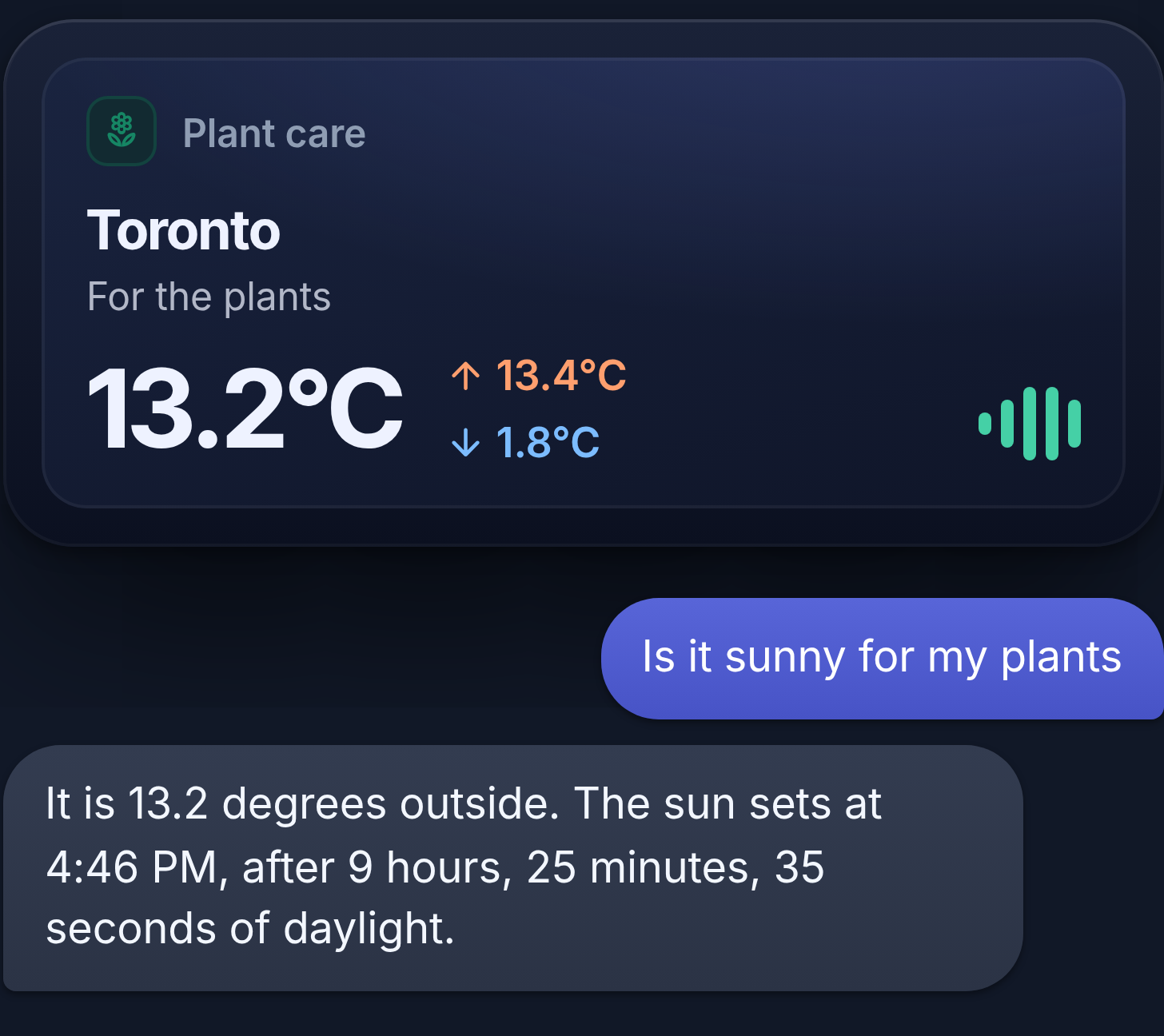
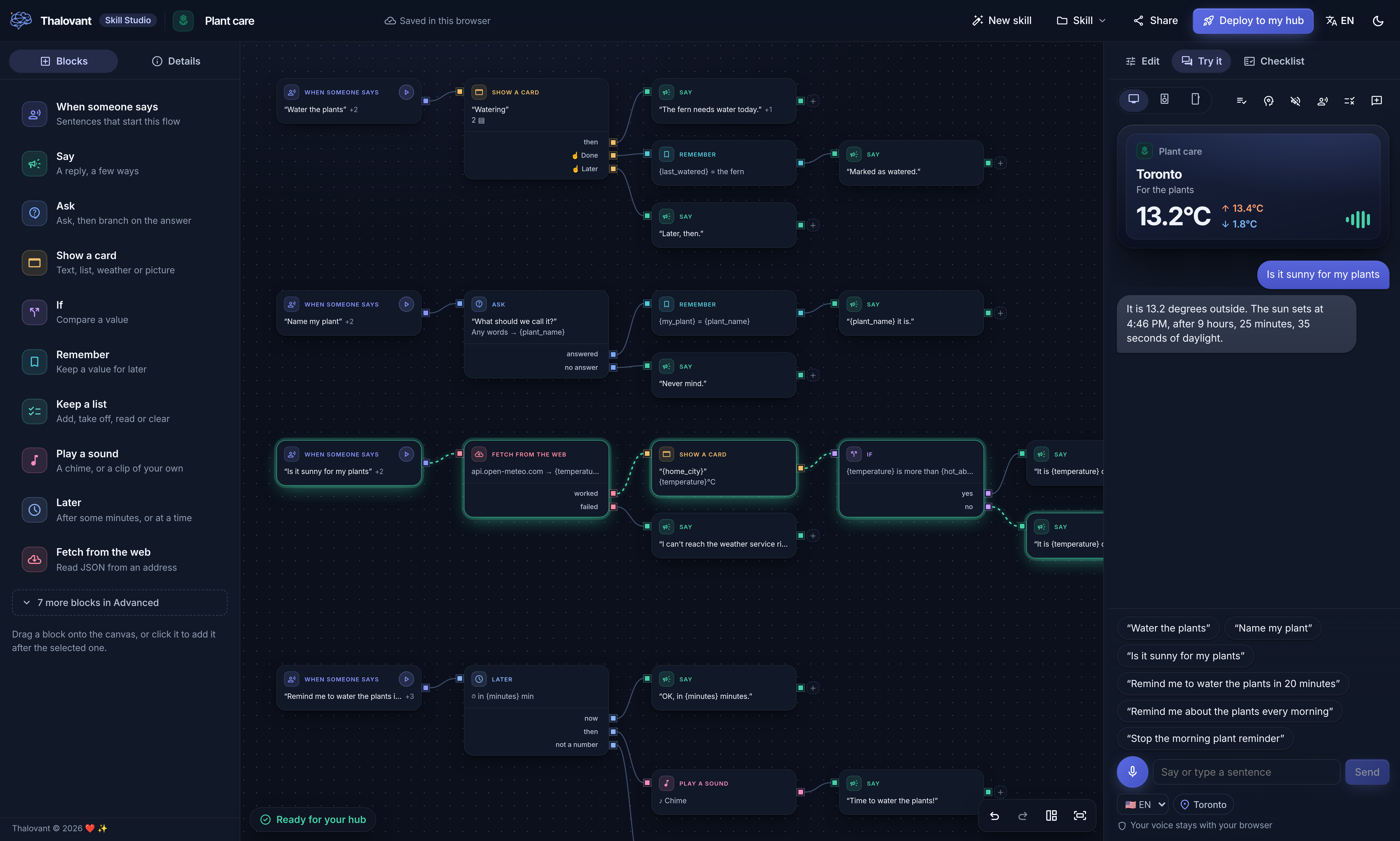
Follow the wire out of the weather block. It goes to a comparison. At 26 °C with a threshold of 25, the hot-day branch recommends watering twice. Set the threshold to 26 and try again. This time you get the temperature, sunset and hours of daylight. The block checks whether the temperature is above the threshold. Exactly 26 doesn’t count. One word explains the whole thing.
Why I start with this plant
A row of connected blocks is easy to admire and surprisingly hard to read. Which wire actually decides what you hear? The plant gives us a tiny experiment with an answer you can predict. Before you touch the control, guess what will happen at exactly 26. If the result surprises you, there’s one comparison to inspect. You don’t have to untangle an entire assistant to find it.
Try it with the Toronto reading
Open the captured Studio reply. The weather service returned 13.2 °C in Toronto and sunset at 4:46 p.m. You can trace that reply back through the blocks. Then open Plant care in Studio yourself. Change the wording, or connect the same reading to another action. As for who actually carries the watering can, that position is still open.
A thermometer in the wrong pot
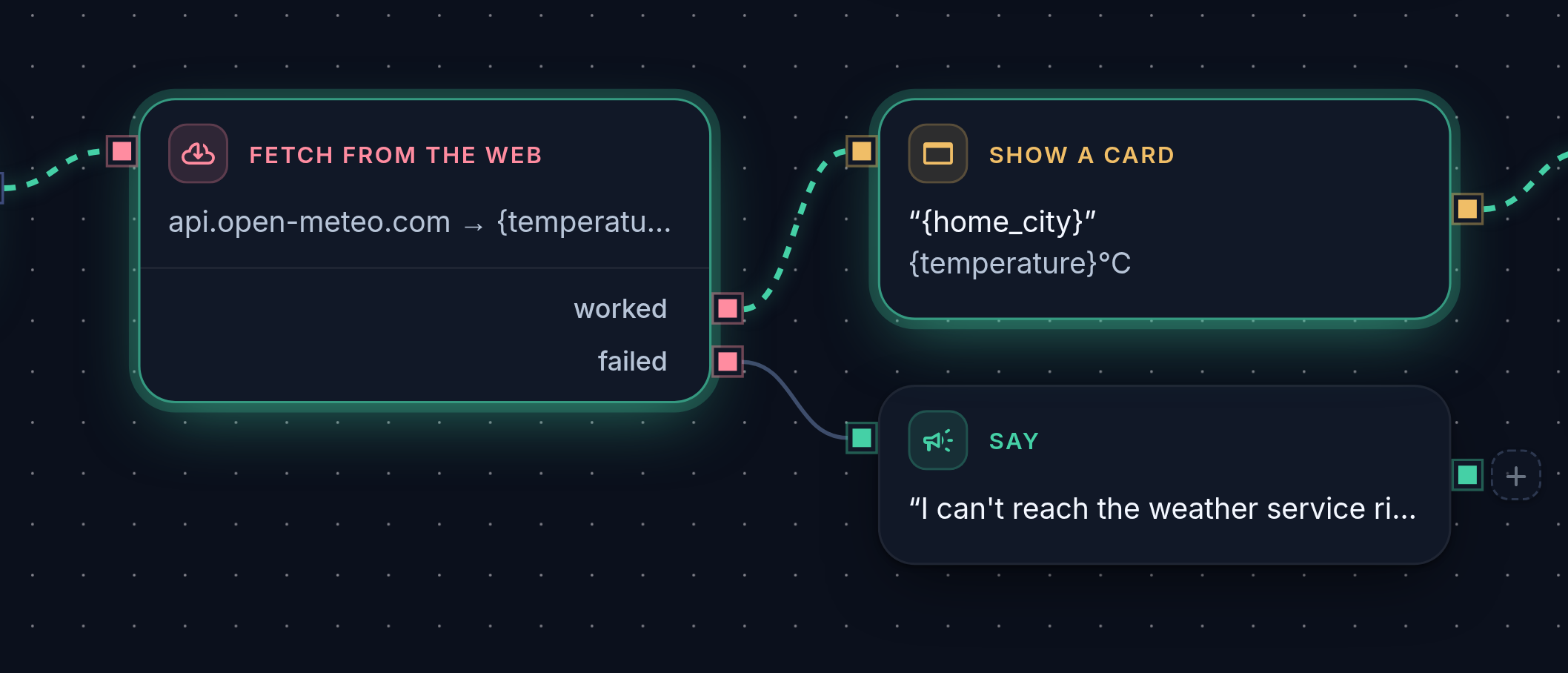
The Toronto reading came from a weather service. Follow the wire back one more block and you find the web request. There’s no probe in the soil of our example plant. Put a cactus and a thirsty basil plant on the same windowsill and the skill will give both the same advice. The forecast can be perfectly correct while the advice is dreadful for the cactus.
Here’s a change worth making to your copy. Replace the hot-day reply with “Check the soil before you water.” Run the same question again. You’ve made a more honest little gardening companion by changing a sentence and leaving the weather service alone.
Give the speaker one sentence
Studio can try the same skill as a device with a screen or as a speaker on its own. Type a trigger phrase in each preview. On screen there’s room for a forecast card. Ask the speaker to read that much detail and the basil will have flowered by the time it finishes.
Try putting the one thing you want to hear in a Say block and the numbers you might want to look up in a card. During the test, the blocks light up as each one runs. You can see whether the short answer and the card actually took the path you drew.
Hand a friend the watering can
A Studio project stays in the browser where you’re working. Share makes a link containing a copy of the skill. Send it to someone who phrases things differently, and ask them to type the first question that comes to mind. They can work on their copy while yours stays where you left it.
For a bilingual skill, a good volunteer might ask “Should I water the basil?” and then “Est-ce que mon basilic a soif?” Add the two phrases to the starting block in their respective languages. With Check every sentence, you can see where each lands. The important bit is that both people arrive at the same rule, in words they’d use over breakfast.
One branch worth following on a bad day
Go back to the picture of the blocks and find the other exit from the weather request. A service can fail to return a reading. That leaves the skill with a different problem from a merely cool day. There’s no temperature to compare. Following that branch tells you what your visitor will hear when the useful input is missing.
That’s the test I’d borrow for a skill of my own. Try a value on either side of the threshold, try the threshold itself, then try the missing reading. Four small checks tell you more about your wiring than ten perfect summer afternoons.