

All stories Montréal, Québec
Mark 1Faceplate firmware
Reading the lips of the Mycroft Mark 1.
Say a long “ah” under your breath, then a little louder. The original Mycroft Mark 1 had seven mouth shapes for both sounds. I wanted to see the difference on its face. We had 32 columns of LEDs, an Arduino and a question. What should the Pi tell the face to draw?
Resume at bookmarkThe faceplate in motion
12 seconds remaining.
Twelve seconds on the clock
Follow the bar beneath the digits. With ten seconds left, the eyes turn amber. At zero, three bells take turns with the digits on the mouth.
Elapsed time
Timer finished · 0:00
When the timer rings
Watch both eyes together. They brighten and dim while the mouth alternates between 0:00 and three bells. Even at night, ringing brings the lights back to daytime brightness.
Elapsed time
21:59:58 · Daytime clock
Two seconds to lights out
The daytime clock is on in this example. At 10 p.m. local time the mouth goes dark and the eyes dim. Prefer to read the time from bed? There’s an optional night clock.
Elapsed time
A little more room for an “ah”
We kept all seven speech shapes from OpenVoiceOS firmware 1.4.2. With version 1.6.0, the Raspberry Pi can also tell the Arduino how wide to draw the lips and how far to open them. Speech timing keeps the movement in step with playback. Sound levels give quieter syllables a smaller mouth. Without either input, the companion uses a simple talking animation.
The comparison catches the start of the same vowel on both faces. The original picks the wide mouth in one go. On the updated face you can catch the lips partway open. Those few LEDs make the vowel look softer.
Both sides of the slider use the original enclosure’s CAD geometry. Pick one eye and slide the divider across it. Its ring stays in place. Now do the same at the mouth. The hardware gets exactly the same 32 columns and eight rows on both sides. What changes is the instruction we send it between one sound and the next.
Three seconds for the microphone
Turn the knob for volume. Holding it is where things changed. The stock firmware opened the menu after two seconds. With our firmware and companion, a three-second hold toggles the Pi’s microphone mute in software. Look for red eyes and a little zipper across the mouth. Looking for the faceplate menu? Hold the knob for seven seconds.
Read the faceplate
Watch the mouth, then the eyes. Choose a group to read the signals. The times and weather are examples.
Everyday displays
Local time
At 7:05 p.m., a little P sits beside the minutes. The dot at the top right means an alarm is set. The clock also supports 24-hour time.
Day and date
FRI 27 is Friday the 27th. The faceplate uses short English weekdays, including when you use the hub in French.
Weather and temperature
The cloud and snowflakes sit beside −3°. In the daytime rotation, the reading comes from the hub’s weather skill. A reading more than three hours old drops out.
Music playing
When music is playing, a pair of notes can fill the idle mouth. The clock and the daytime information rotation take priority when enabled.
Timers and alarms
A running timer
Of the ten minutes you set, 4:32 remain. The bar along the bottom shrinks when the duration is known. The dot on the right means a second timer is running.
See the sequenceThe final seconds
Seven seconds left. The eyes turn amber for the last ten seconds of an idle countdown. At zero, the bells take over.
Upcoming alarm
A little bell sits beside the next alarm time, here 07:30. By default, an alarm due within 18 hours takes a turn on the idle display.
Alarm snoozed
Two little Zs replace the bell. The new time tells you when the alarm will ring again, here 07:39.
Alarm cancelled
A bell and a cross briefly confirm the cancellation once the conversation is over.
Timer cancelled
The hourglass and cross confirm that the timer was cancelled. The bell is reserved for an alarm.
Night mode
Quiet night
From 10 p.m. to 6 a.m. by default, the eyes dim and the idle mouth goes dark. You can change these hours.
See the sequenceAn alarm is set
A single LED in the lower right of the dark mouth marks an upcoming alarm. When it rings, the eyes pulse amber at their daytime brightness.
Optional night clock
Prefer to see the time? Allow the clock at night and enable the clock or information display. The dim digits here read 23:10.
A long timer at night
With the idle clock off, a long timer appears for five seconds every thirty. Here, 1h45 remains. In its final ten minutes the timer stays on the idle mouth.
Speech and status
Alarm or timer ringing
Amber eyes pulse. Bells alternate with the time for an alarm, or with 0:00 when a timer has run out.
See the sequenceListening
Cyan eyes and a wave across the mouth. The Mark 1 heard its wake word and is listening to you.
Preparing a reply
The violet eyes narrow. A spot travels back and forth across the mouth while the hub works on your request.
Speaking
The eyes return to blue. The lips follow the reply when the satellite supplies speech timing or playback levels.
Microphone muted
The eyes stay red and the mouth shows a zipper. Holding the knob for three seconds toggles microphone mute.
Unread notification
The eyes blink yellow. A small envelope can appear on the idle mouth when a notification is waiting.
Hub out of reach
Amber eyes and an X on the idle mouth mean the satellite is running but has lost its connection to the hub.
Satellite unavailable
Dim amber eyes and a warning triangle mean the local voice software is unavailable. The faceplate companion can still show the warning.
Give the mouth a timer
Between conversations, the Mark 1 can cycle through the time, date and temperature from the hub’s weather skill. Set a timer and the Pi keeps count. Version 0.12.0 of the companion writes the seconds on the mouth. If it knows the original duration, a strip of LEDs underneath gets shorter as the timer runs down. Watch the eyes turn amber for the final ten seconds. When the timer rings, they pulse and the mouth alternates between 0:00 and little bells. Dinner’s ready. With colour fades and adjustable brightness, blinks and volume bars stay legible with the lights down.
What the face does at 2 a.m.
By default, night mode starts at 10 p.m. local time and ends at 6 a.m. The eyes dim and the idle mouth goes dark. Set an alarm for the next 18 hours and one LED in the lower-right corner keeps you company. You can adjust the hours or leave a dim clock on. A long timer shows itself for five seconds every thirty. When an alarm rings, the amber eyes pulse at their daytime brightness. Sleeping through that is between you and your alarm.
Compare the faceplate
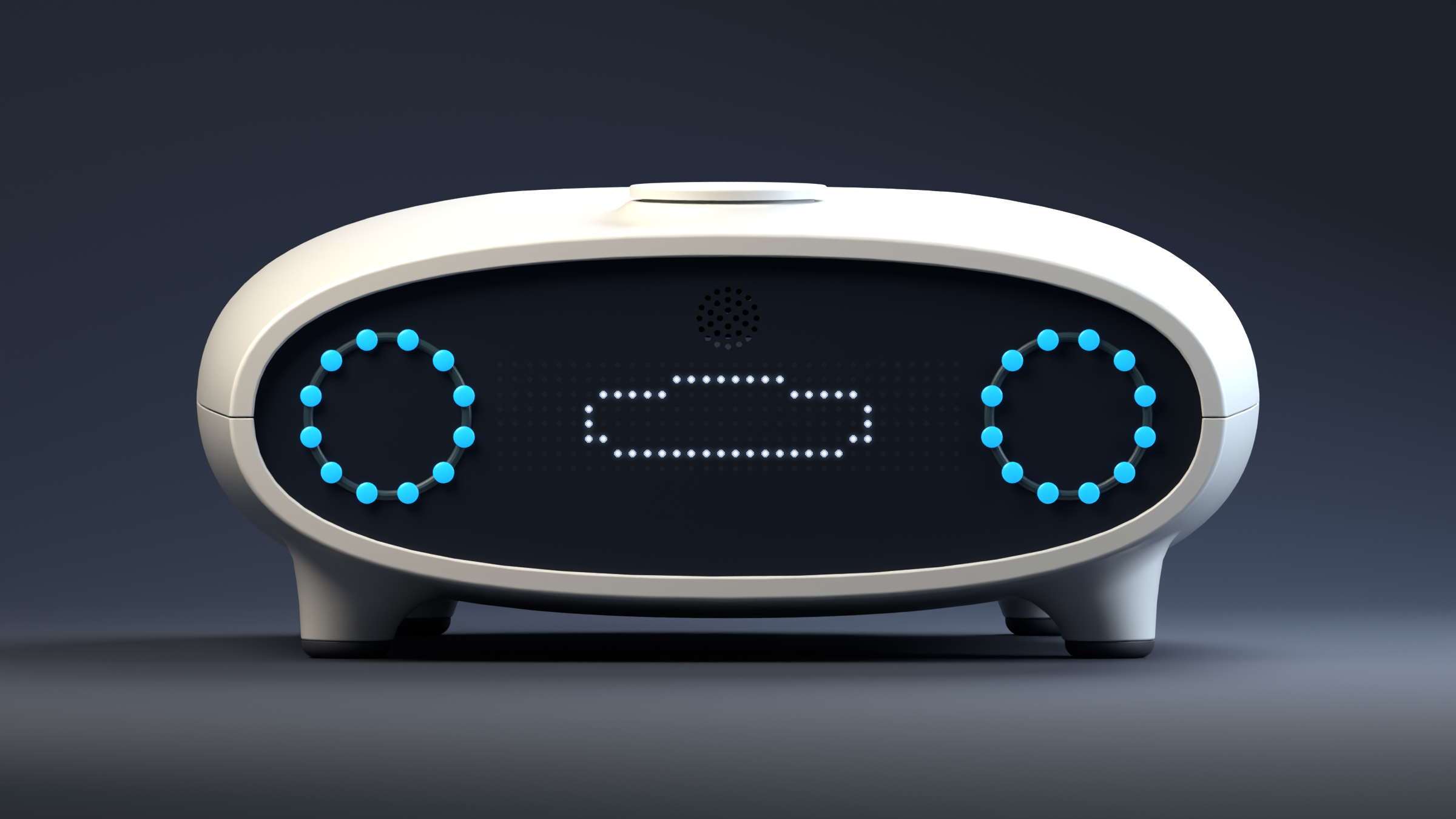
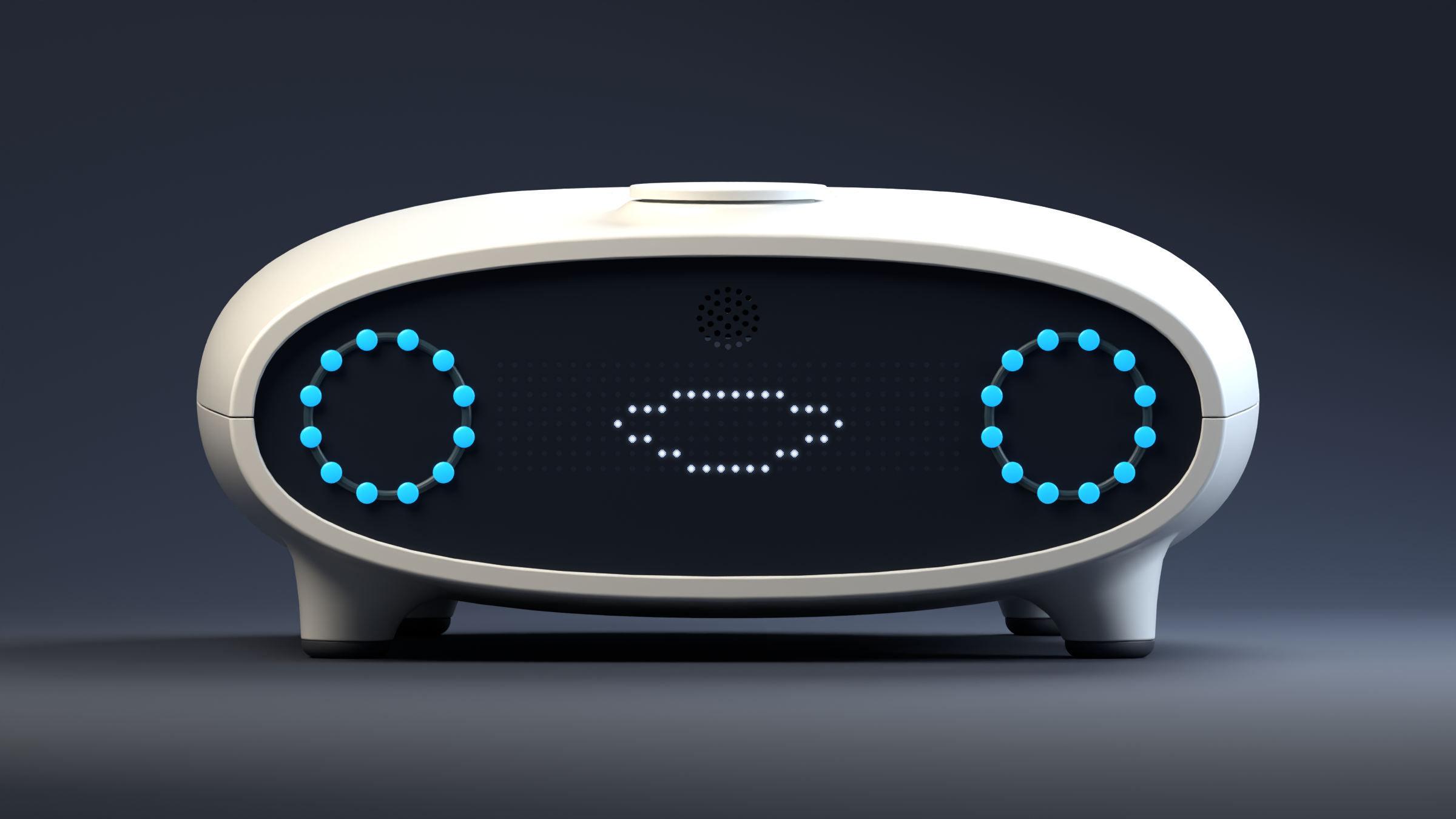
Drag the handle or use the arrow keys to compare.
A single “ah” in slow motion
Both mouths start closed. See how each draws the same full-volume vowel over the first 80 milliseconds of this simulation.
Before · Stock 1.4.2
After · Thalovant 1.6.0
Both views use the same Mark 1 enclosure from Mycroft’s original 1.21 design. The close-ups show the firmware’s 32 × 8 LED patterns. Hardware design by Mycroft AI and Derick Schweppe (CERN OHL).
The difference between an X and a zipper
Say the speaker has gone quiet. A red pair of eyes and a zipper mean you muted the microphone. An X with amber eyes means the voice software is running but has lost the hub. The little warning triangle, with dimmer amber eyes, points to the device itself. Its voice software is unavailable. Turning up the volume won’t do much for any of those.
Try reading the patterns here with the colours covered for a moment. Zipper, X, triangle. Each still suggests a different next step. Eight rows of LEDs is a funny place to put a troubleshooting guide, but it’s exactly where you’re looking when the speaker stops answering.
What we checked on the real Mark 1
In November 2026 we flashed version 1.6.0 onto an original Mark 1 running a Raspberry Pi 3 B. We tried the knob, tested the faster serial link under load and checked that the companion reconnected after a faceplate reset. The board acknowledged the timer and alarm commands. The visual check of every new animation on the physical unit is still on the list. Here in the Journal, you can already inspect the LED patterns drawn from the firmware.